The short answer
Wondering what is photo to 3d converter technology?
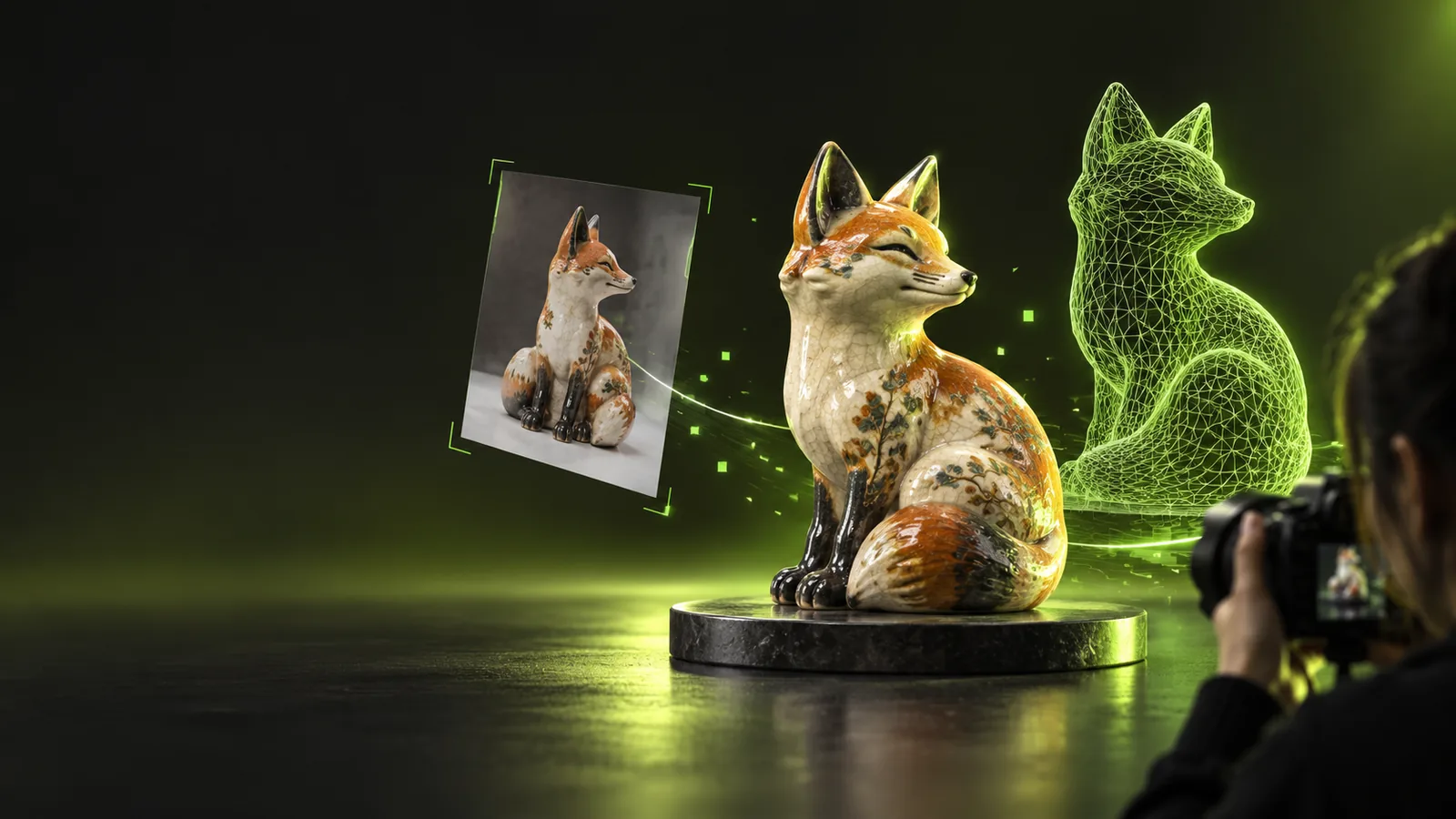
If you are asking what is photo to 3d converter software, think of it as a way to turn visual clues in a flat picture into an estimated three-dimensional shape. A single photo shows only one viewpoint, so the unseen sides must be inferred rather than recovered as facts.
Related reading
The definition is a starting point. These guides address the practical questions that usually follow it.
- how to use photo to 3d online Follow a preparation and review workflow before trying to make a model from an image.
- photo to 3d online Understand what to check when using a browser-based conversion workflow.
- 2d to 3d image converter Compare image-based shape estimation with other ways of giving a flat image depth.
How it works
A photo to 3d workflow estimates shape from visible evidence; it does not reveal information the camera never captured.
-
1
Read the visible subject
The system identifies the object's outline, shading, texture and other visible cues. A clearly separated subject gives it more useful evidence than an object blending into a busy background.
-
2
Estimate depth and hidden surfaces
It uses those cues to propose a three-dimensional form. Concave areas, the rear surface and parts blocked by other objects remain educated guesses, even when the front view looks convincing.
-
3
Inspect and refine the result
Rotate the proposed model and compare it with what you know about the real object. Depending on your intended use, you may need to correct its proportions, geometry or surface appearance in a separate editing workflow.
What it can and cannot do
A photo to 3d converter can suggest a model quickly, but a plausible surface is not the same thing as a measured copy.
It cannot see the back
A front-facing photo provides no direct record of the rear or underside. Those surfaces can look coherent while differing substantially from the actual object.
What to do instead
Gather additional viewpoints or use a multi-image reconstruction method when rear geometry matters.
It cannot guarantee exact dimensions
Without a known scale or reliable measurements, the size of an object in pixels does not establish its real-world dimensions.
What to do instead
Measure a reference feature and verify the model's scale in your editing software.
It cannot ensure fabrication-ready geometry
A visually persuasive model may have gaps, thin walls, intersecting surfaces or details too fragile for a physical build.
What to do instead
Check the mesh and repair it against the requirements of your intended fabrication process.
It cannot recover obscured detail
Strong reflections, motion blur, shadows and foreground obstructions hide information. Sharpening an image cannot restore geometry that was never visible.
What to do instead
Use a clearer image with even lighting and an unobstructed view of the subject.
Who uses it
The right approach depends on whether you need a visual starting point or a closer record of an existing object.
| Single-photo conversion | Multi-photo photogrammetry | |
|---|---|---|
| Typical input | One suitable image of the subject | Overlapping images from several viewpoints |
| Hidden surfaces | Inferred from the visible view | Can be reconstructed where another image shows them |
| Useful to | Concept artists exploring a rough starting shape | Documentarians recording an accessible physical object |
| Preparation | Choose a clear image with a distinct subject | Capture consistent coverage around the object |
| Shape confidence | Lowest where the photo gives no evidence | Depends on image coverage and reconstruction quality |
| Common follow-up | Review and edit guessed geometry | Clean up scan artifacts and missing regions |
| Best reason to choose it | You have an image but cannot photograph the object again | You can access the object and need more observed detail |
Explore 3D creation
Phototo3d helps you understand where photo to 3d conversion fits: it is useful for exploring a form, not for proving that every surface matches reality. If you want to try a 3D creation workflow, open the connected tool and review its available inputs and outputs before relying on the result.
Start with the image, then check the shape
- Choose a clear, well-lit subject image
- Inspect the result from more than one angle
- Verify geometry against your intended use
FAQ
It uses information in a two-dimensional picture to estimate a three-dimensional shape. The visible outline and surface cues inform the result, while parts outside the camera's view have to be guessed.
Not necessarily. One photo cannot establish every depth, measurement or hidden surface, so a result can look right from the original viewpoint and still be inaccurate when rotated.
A single-image approach can work from one view, but it cannot directly observe the other sides. If accurate all-around reconstruction is the goal, photographs with overlapping views provide more evidence.
A distinct subject, sharp edges, useful lighting and little obstruction make the visible shape easier to read. Reflective surfaces, heavy blur and clutter make depth and boundaries more ambiguous.
A generated shape may be a starting point, but appearance alone does not establish printability. Check its scale, mesh integrity, wall thickness and other requirements before preparing a print.